Call Driver Analysis: How to Find Out Why Customers Really Call (and Reduce Call Volume)
Anita
October 2, 2026
Call Driver Analysis: How to Find Out Why Customers Really Call (and Reduce Call Volume)
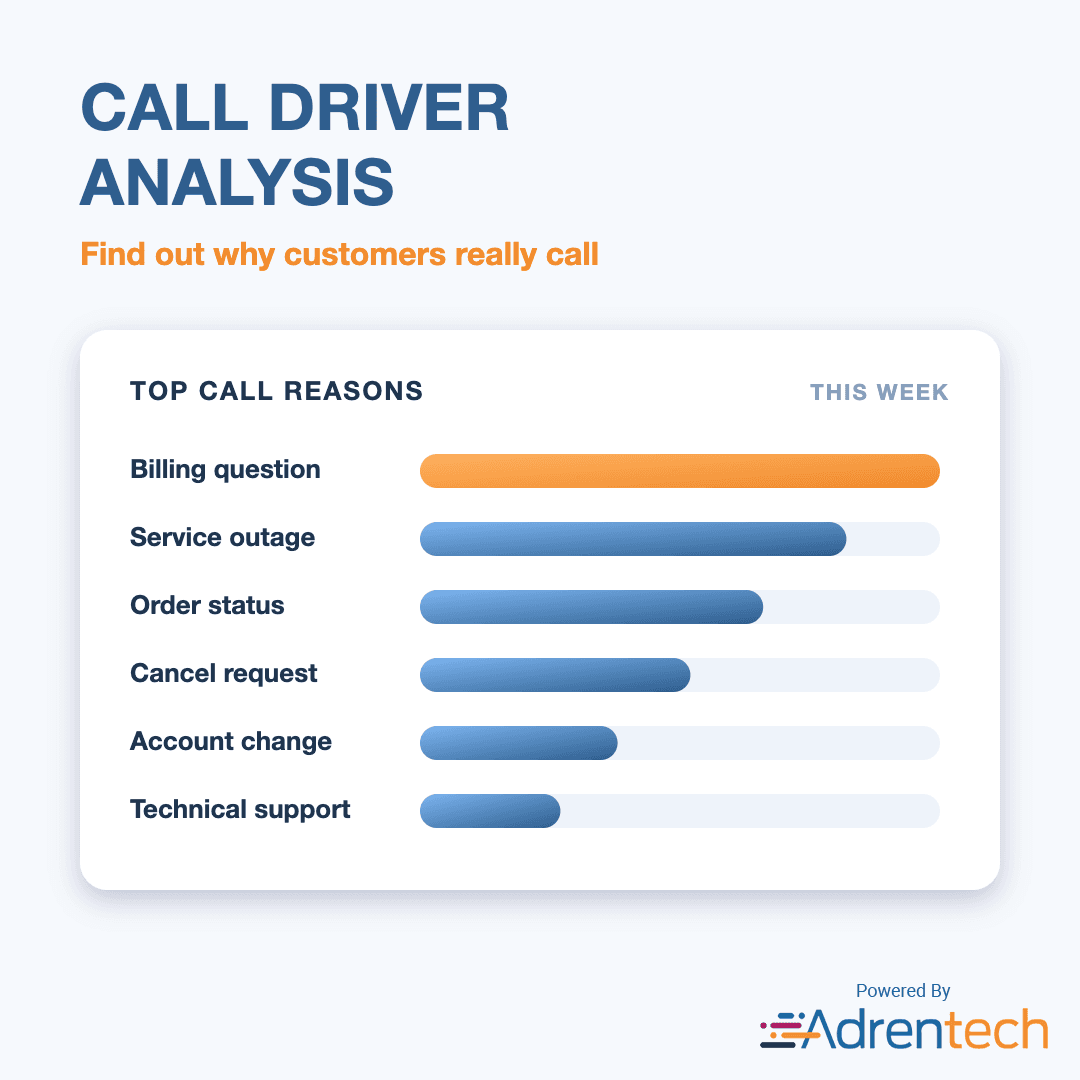
Call driver analysis is the process of identifying and ranking the reasons customers contact your support center, so you can fix the causes behind the calls instead of just answering them. Done well, it tells you which issues create the most volume, which ones are growing, and which ones could be prevented or moved to self-service.
The challenge is accuracy. Disposition codes picked by agents at the end of a call are often rushed, inconsistent, or too generic ("Billing – Other"). AI call analysis solves this by reading the conversation itself. Adrentech Inform analyzes 100% of call recordings and records a primary and secondary call reason for every call, mapped to a consistent vocabulary you can trend over time.
Table of Contents
- Key takeaways
- What is a call driver?
- Why call driver analysis matters
- Why disposition codes are not enough
- How to do call driver analysis step by step
- Call driver metrics to track
- How Adrentech Inform automates call driver analysis
- Common call driver analysis mistakes
- Turning call drivers into lower call volume
- Frequently asked questions
- What is call driver analysis?
- What is the difference between a call driver and a call reason?
- How do you identify call drivers?
- Why are disposition codes unreliable for call driver analysis?
- How many calls should be analyzed?
- Can call driver analysis reduce call volume?
- How does Adrentech Inform find call drivers?
Key takeaways
- A call driver is the underlying reason a customer calls, not the department that took the call.
- Agent-selected disposition codes are a weak source for call driver data; the conversation itself is the best source.
- AI can classify every call by primary and secondary reason, then normalize the wording so the same issue is always counted once.
- The most useful view is call drivers trended over time and broken down by workqueue, agent or customer segment.
- Every top call driver should end in an action: fix the cause, improve self-service, or update agent guidance.
What is a call driver?
A call driver is the root reason that made a customer pick up the phone. "I was charged twice" is a call driver. "Billing" is a category. "Transferred to billing" is a routing event.
Most contact centers track three layers:
| Layer | Example | Why it matters |
|---|---|---|
| Category | Billing | Good for high-level reporting and staffing |
| Call driver (primary reason) | Duplicate charge on the monthly bill | Tells you what to fix |
| Secondary reason | Also asked to update payment method | Shows multi-issue calls and hidden demand |
A good call driver taxonomy is specific enough to act on, but stable enough to compare month to month.
Why call driver analysis matters
Call drivers explain your call volume. Without them, a spike in calls is just a number. With them, it becomes "a billing system change caused a 3x increase in duplicate-charge calls since Tuesday."
Call driver analysis helps you:
- Reduce avoidable calls. Many calls exist only because something upstream failed: a confusing bill, a broken web form, a late delivery notice.
- Staff more accurately. Knowing which drivers are growing helps workforce planning teams forecast volume by skill.
- Prioritize product and process fixes. Call drivers give product, billing and operations teams a ranked list of customer problems with real evidence.
- Find self-service opportunities. Simple, repetitive drivers are the best candidates for automation. See our guide on AI call analysis for how this connects to automation data.
- Give executives a clear story. "Why did volume go up?" is one of the most common questions leadership asks. Call drivers answer it directly.
Why disposition codes are not enough
Disposition codes are chosen by agents under time pressure, so they are often incomplete, inconsistent or wrong. Common problems include:
- Generic codes. Agents pick "Other" or the first option in the list when nothing fits quickly.
- One code per call. Real calls often have two or three reasons, but most systems capture one.
- Inconsistent interpretation. Two agents handling the same issue choose different codes.
- Routing confusion. The code reflects the queue the call ended in, not the reason the customer called.
- Code list drift. New issues appear faster than the code list is updated, so emerging problems are hidden inside existing codes.
AI-based call reason detection avoids these problems because it reads what the customer actually said.
How to do call driver analysis step by step
- Capture every call. Analyze all recordings, not a sample. Small samples miss emerging issues and make week-to-week comparisons unreliable.
- Transcribe and label speakers. You need to know what the customer said versus what the agent said.
- Classify the primary and secondary reason. Ask: what problem did the customer want solved? Record the main reason and any additional ones.
- Normalize the vocabulary. Map different phrasings ("cancel my plan", "close my account", "stop my service") to one consistent reason.
- Add context. Join each call with workqueue, agent, time, and customer segment so you can slice the data.
- Trend and compare. Look at drivers by week and compare periods to find what is growing or shrinking.
- Drill into examples. Read or listen to a few calls behind each top driver to confirm the cause.
- Assign an owner and action. Every top driver should have a team responsible for reducing it.
Call driver metrics to track
| Metric | What it tells you |
|---|---|
| Share of calls by primary reason | Which problems create the most volume |
| Week-over-week change by reason | Which problems are growing or emerging |
| Secondary reason frequency | Hidden demand inside multi-issue calls |
| Resolution rate by reason | Which drivers your team struggles to solve |
| Repeat and callback rate by reason | Which issues are not fixed the first time |
| Transfer rate by reason | Which drivers are routed to the wrong queue |
| Self-service eligibility by reason | Which drivers could be automated |
Tracking resolution and transfers next to each driver turns a simple ranking into an action plan. For example, a driver with high volume and low resolution needs better agent guidance; a driver with high volume and high self-service eligibility needs a digital channel.
How Adrentech Inform automates call driver analysis
Inform reads every call and records its call reasons automatically, then lets you explore them by asking questions in plain English.
- Primary and secondary call reasons on every call. Inform's AI identifies the main reason and any additional reasons for each conversation.
- Normalized vocabulary. Reasons are mapped to a shared list, so the same issue phrased differently is counted once. New or unmapped reasons are kept visible as "unmapped topics" so emerging issues are not lost.
- Call drivers, topics and recurring issues. Beyond the main reason, Inform tracks call drivers, topics, recurring issues and outage reports.
- Resolution and routing context. Each call also records whether the issue was solved, whether it was escalated or transferred, and whether a callback was requested.
- Transfer-aware segments. When a call is transferred, Inform analyzes each customer–agent segment separately, so you can see which queue handled which part of the problem.
- Plain-English questions. Managers can ask questions like the ones below and get numbers with links to example calls.
Example questions you can ask Inform
- "What were the top 10 call reasons last month?"
- "Which call reasons grew the most compared with the previous month?"
- "Show the top call drivers by workgroup for last week."
- "What is the resolution rate for each of the top 5 call reasons?"
- "Show me example calls about duplicate charges."
Common call driver analysis mistakes
- Sampling too few calls. A sample can hide fast-growing drivers until they become large.
- Using categories instead of drivers. "Technical support" is not actionable; "router keeps disconnecting after firmware update" is.
- Ignoring secondary reasons. Multi-issue calls are longer and often reveal hidden process failures.
- Never closing the loop. A ranked list of drivers is only useful if each top driver has an owner and a target.
- Changing the taxonomy too often. Constant changes break trends. Normalize to a stable vocabulary and add new values only when needed.
Turning call drivers into lower call volume
Once you know your top drivers, sort them into three groups:
| Group | Typical example | Best action |
|---|---|---|
| Preventable | Confusing bill, missing notification | Fix the upstream process or communication |
| Automatable | Balance check, appointment change, password reset | Move to self-service (IVR, web, virtual agent) |
| Needs a human | Complex complaint, cancellation, negotiation | Improve agent guidance and knowledge |
For automatable drivers, a knowledge platform like norm or a virtual assistant like Vira can handle the request before it reaches an agent. For drivers that need a human, a strong agent assist setup helps agents resolve them faster.
Frequently asked questions
What is call driver analysis?
Call driver analysis is the process of identifying, ranking and trending the reasons customers contact a support center. Its goal is to reduce avoidable calls and fix the root causes behind call volume.
What is the difference between a call driver and a call reason?
The terms are often used interchangeably. A call reason usually describes what the customer asked for; a call driver emphasizes the underlying cause. In practice, a primary call reason recorded at the right level of detail is a call driver.
How do you identify call drivers?
The most accurate way is to analyze the conversation itself. AI call analysis transcribes each call and classifies the customer's primary and secondary reasons, then normalizes the wording so results can be counted and trended.
Why are disposition codes unreliable for call driver analysis?
Disposition codes are selected by agents at the end of a call, often under time pressure. They tend to be generic, limited to one code per call, and applied inconsistently between agents.
How many calls should be analyzed?
Ideally all of them. Analyzing 100% of calls makes trends reliable and catches emerging issues early. Adrentech Inform analyzes every recording it receives.
Can call driver analysis reduce call volume?
Yes. Once you know which drivers are preventable or automatable, you can fix the upstream cause or move the request to self-service, which removes those calls from the queue.
How does Adrentech Inform find call drivers?
Inform's AI reads each transcript, records a primary and secondary call reason, maps them to a shared vocabulary, and makes them available for reporting and plain-English questions by period, workqueue, agent or team.
See your call drivers in Inform
Want to know why your customers really call? Book an Inform demo and see your top call drivers, trends and example calls from your own data, or contact the Adrentech team.
Share on social media


Call Center Churn Analysis: How to Find Cancellation Reasons and Save More Customers